Introduction
VMware Cloud Foundation (VCF) 9 represents one of the most significant architectural shifts in the history of VMware’s private cloud platform. While previous releases focused heavily on consolidating infrastructure management, VCF 9 introduces a new approach where networking, lifecycle management, operations, and cloud-scale automation become deeply integrated components of the platform.
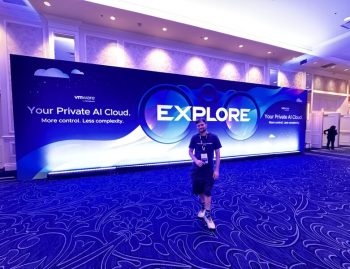
During a recent VMUG session, industry experts Alan Harrington and Van Rodriguez shared practical guidance, lessons learned, and architectural considerations for organizations planning a VCF 9 deployment or upgrade.
The key takeaway was simple:
Success in VCF 9 is determined long before the first upgrade begins.
Organizations that invest time in preparation, validation, networking design, and operational readiness are the ones that experience smooth deployments.
The Most Common Deployment Issues
Many VCF deployment failures occur because of seemingly small environmental issues.
NTP Synchronization
Time synchronization remains one of the most critical requirements.
The VMUG session highlighted cases where environments experienced deployment issues due to clock drift exceeding acceptable thresholds.
Recommendations include:
- Deploy a Photon-based utility server.
- Configure dedicated NTP sources.
- Validate synchronization before deployment.
- Ensure time drift remains within acceptable limits.
Even a small timing discrepancy can cause authentication failures, certificate validation problems, and deployment instability.
DNS Hygiene
Poor DNS configuration continues to be one of the biggest causes of failed VCF deployments.
Before starting:
- Clean up stale records.
- Validate forward and reverse lookups.
- Standardize naming conventions.
- Lock down management naming standards.
As Alan Harrington noted, DNS cleanup should happen before any VCF bring-up activities.
Certificate Validation
SSL certificate issues remain a frequent deployment blocker.
Best practices include:
- Ensure certificate names are consistent.
- Verify all certificate references use lowercase naming.
- Validate certificate chains before deployment.
- Confirm all required services trust the issuing authority.
Licensing Readiness
Many organizations underestimate licensing preparation.
Before deployment:
- Verify the License Server is reachable.
- Confirm licenses are imported.
- Validate license assignments.
- Test connectivity from management components.
Licensing should be treated as a deployment prerequisite rather than a post-deployment activity.
The VCF 9 Readiness Gate
One of the most valuable concepts discussed during the session was the idea of an integration pre-flight checklist.
Think of this as the readiness gate before any upgrade or deployment begins.
Readiness Checklist
✔ License Server reachable and populated
✔ Upgrade sequence validated against current versions
✔ Identity and vIDB migration path confirmed
✔ Networking architecture selected
✔ Fabric configuration validated
✔ Backup and recovery procedures tested
✔ Disaster recovery processes documented
✔ Upgrade dependencies understood
Organizations that complete these checks dramatically reduce deployment risk.
Understanding the New Networking Architecture
Perhaps the biggest change in VCF 9 is networking.
According to Van Rodriguez, networking has evolved into a dedicated architectural domain, with documentation approaching 950 pages.
Networking is no longer simply an infrastructure component.
It is now a strategic design decision.
Three Networking Models
VCF 9 supports three primary networking approaches.
1. VLAN-Based Networking
Ideal for:
- Traditional Layer 2 environments
- Smaller deployments
- Simpler operational models
Benefits:
- Familiar architecture
- Lower complexity
- Faster adoption
2. NSX Overlay Networking
Ideal for:
- Existing NSX customers
- Advanced segmentation requirements
- Micro-segmentation strategies
Benefits:
- Flexible networking
- Enhanced security
- Advanced workload mobility
3. NSX VPC Model
The most modern architecture.
Benefits:
- Self-service networking
- Multi-tenancy
- Transit Gateway integration
- Cloud-like operational experience
A critical point raised during the session was that the networking model selected today may influence future upgrade and expansion paths.
Networking Decisions That Must Be Made Early
Organizations should determine the following before deployment:
Distributed Model
VLAN-only architecture operating primarily within Layer 2 environments.
Centralised Model
Layer 3 routing using:
- NSX Edge Nodes
- BGP
- ECMP
Unified Fabric Model
VCF integrated directly with the physical network fabric using:
- MP-BGP EVPN
- EVPN-VXLAN
This model represents the future direction of private cloud networking.
Additional considerations include:
- Transit Gateway design
- VPC strategy
- Multi-tenancy architecture
- Edge throughput requirements
- Growth projections
The Biggest Innovation: Unified Fabric with Arista
One of the most exciting announcements discussed was the deep integration between VCF 9.1 and Arista networking.
Historically, virtual networking and physical networking existed as separate operational domains.
This created:
- Manual route management
- North-south bottlenecks
- Additional edge infrastructure
- Increased operational complexity
VCF 9.1 changes this model.
One Fabric, One Routing Domain
Using MP-BGP EVPN and EVPN-VXLAN standards, VCF becomes part of the network fabric itself.
Instead of:
“VCF talks to the network”
The new model becomes:
“VCF is the network.”
This removes many of the traditional boundaries between virtualization and networking teams.
How Unified Fabric Works
Control Plane
The VCF Route Controller establishes MP-BGP EVPN peering with the Arista EVPN Gateway.
Both systems dynamically advertise and learn workload routes.
This creates a shared routing domain.
Multi-Tenancy
Each VCF Transit Gateway maps directly to a dedicated Layer 3 VNI within the EVPN fabric.
Benefits include:
- Tenant isolation
- Consistent routing
- Simplified management
Route Exchange
Route distribution occurs automatically using EVPN Type-5 routes.
VCF advertises:
- Workload-specific /32 prefixes
- TEP addresses
The fabric advertises:
- Subnet routes
- Default routes
- VRF information
No manual route configuration is required.
Data Path
Traffic flows using VXLAN end-to-end:
VCF TEP → EVPN Gateway → Leaf Switch → Destination
The result is line-rate forwarding and significantly simplified operations.
Business Outcomes
Benefits for Network Teams
- Unified routing visibility
- Consistent multi-tenant policies
- Better segmentation
- Standards-based architecture
- No proprietary lock-in
Arista CloudVision complements VCF Operations to provide enhanced visibility and automation.
Benefits for Virtualization Teams
- Simplified workload connectivity
- Easier workload-domain expansion
- Reduced operational complexity
- Faster deployment times
- Lower total cost of ownership
One major advantage is the reduced dependency on dedicated edge-node infrastructure.
Real-World Deployment Strategy
The VMUG team shared their implementation approach.
Phase 1 – Design
Define:
- Sovereignty regions
- Naming standards
- IP addressing strategy
- VLAN architecture
Phase 2 – Management Domain
Deploy a greenfield management domain.
Phase 3 – Fleet Expansion
Deploy:
- One fleet per sovereignty region
- Dual cloud proxies per location
- Persistent data services
Phase 4 – Scale
Add workload domains incrementally.
Phase 5 – Operational Transition
Move monitoring and operations to VCF Operations.
Phase 6 – Day-2 Expansion
Bring additional workload domains online as required.
This phased approach significantly reduces risk.
Monitoring Gets a Major Upgrade
VCF Operations is now a core platform service rather than an optional add-on.
New capabilities include:
- Green Score
- Advanced Dashboards
- Super Metrics
- Service Discovery
- OpenTelemetry Integration
- Telegraf Integration
Organizations reported:
- Faster scaling
- Improved observability
- Quicker issue detection
- Reduced operational costs
What Experienced Architects Would Do Differently
The most valuable part of the session was hearing what practitioners would change if starting again.
Key Lessons Learned
- Fix DNS before deployment.
- Design the IP scheme early.
- Consider dedicated VMware management VLANs.
- Build a sandbox environment first.
- Spend time in a lab before touching production.
- Test recovery procedures before upgrading.
- Never underestimate pre-deployment validation.
As Alan Harrington summarized:
“Pre-checks beat heroics.”
Final VCF 9 Readiness Checklist
Before beginning your VCF 9 journey:
✔ Determine whether you’re performing a greenfield deployment, import, or fleet upgrade.
✔ Validate your supported upgrade path using the Upgrade Planner.
✔ Account for VCFMS, License Server, vIDB, Fleet Management, and Lifecycle dependencies.
✔ Validate the complete upgrade sequence.
✔ Finalize networking architecture.
✔ Decide on your fabric strategy.
✔ Test backups and recovery procedures.
✔ Plan for vSphere 8.x End of Support in October 2027.
✔ Build and test in a sandbox before production.
Conclusion
VCF 9 is much more than another infrastructure upgrade.
It introduces a new operational model where lifecycle management, observability, networking, and cloud-scale operations become part of a unified platform.
The organizations that will gain the most value from VCF 9 are not necessarily the ones with the newest hardware or largest budgets.
They are the ones that invest in planning, architecture, validation, and operational readiness before deployment begins.
The message from VMUG was clear:
Success with VCF 9 starts long before the upgrade wizard is launched.