Hey Guys, The New VMware Cloud Foundation 9.1 Labs Are Here
If you have been using the VMware Hands-on Labs to learn VMware Cloud Foundation 9.0, there is a new set of labs you need to know about.
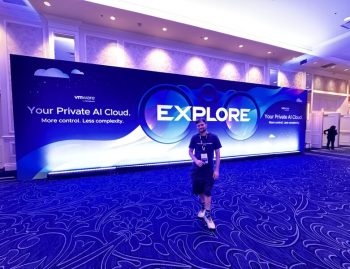
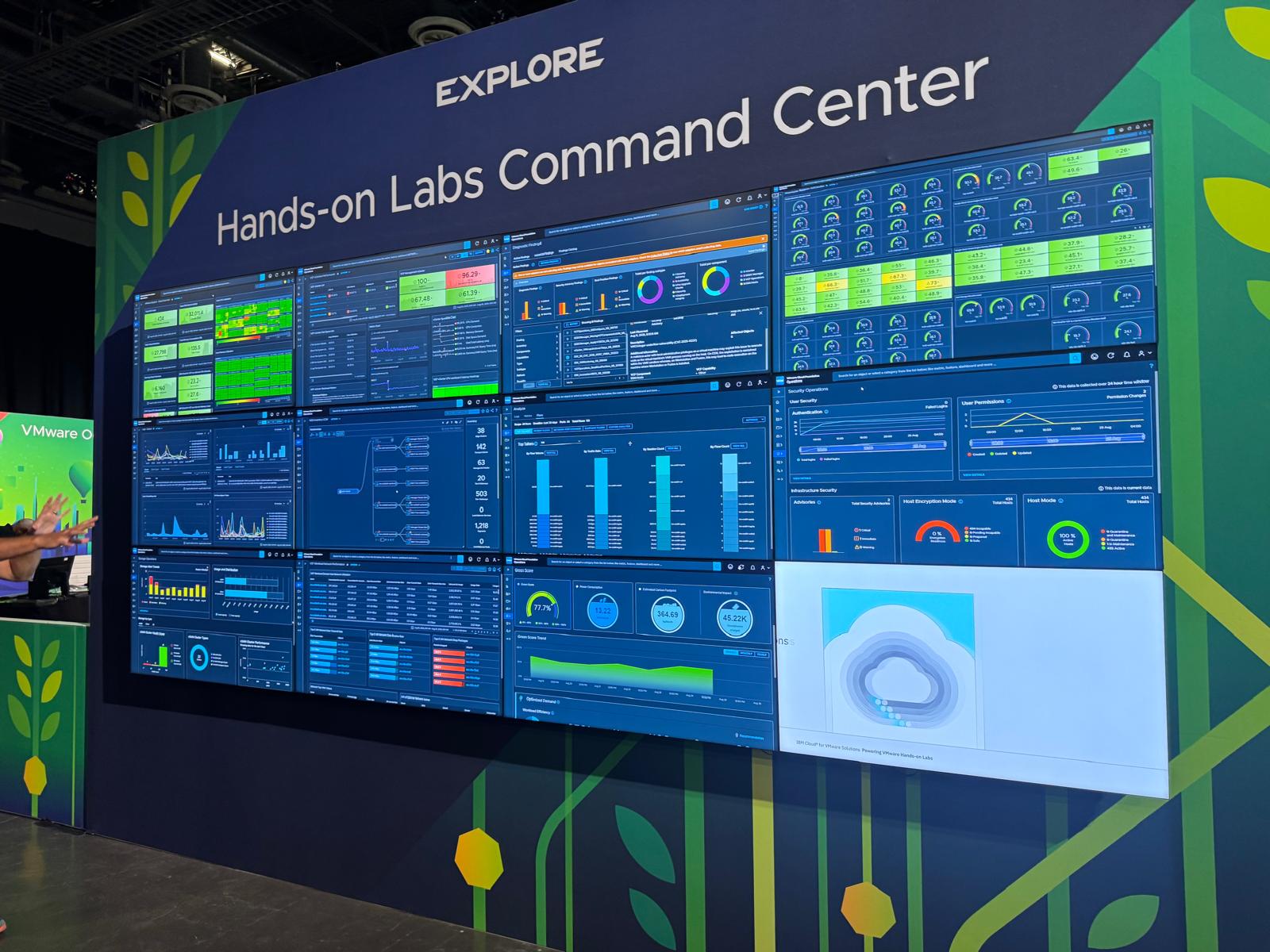
Following VMware Explore Las Vegas, the Hands-on Labs catalogue has now been updated for VMware Cloud Foundation 9.1.
The VCF 9.0 labs that many of us have been using are now being replaced by a new generation of labs built around VCF 9.1.
So, if you go looking for your favourite VCF 9.0 lab and suddenly cannot find it, don’t worry.
Your lab has not disappeared. It has most likely moved to a new 9.1 lab SKU.
What has changed?
The biggest change is the lab numbering.
The previous VMware Cloud Foundation 9.0 labs were part of the HOL-26xx series.
These are now being deprecated and replaced with the new HOL-27xx series for VMware Cloud Foundation 9.1.
In simple terms:
VCF 9.0 → HOL-26xx
VCF 9.1 → HOL-27xx
The new labs are designed around the latest VMware Cloud Foundation release and provide an updated environment for anyone wanting to get hands-on with VCF 9.1.
Where did my VCF 9.0 lab go?
This is probably the first question people will ask.
If you have previously bookmarked a VCF 9.0 Hands-on Lab, you may find that it is no longer the lab you want to use.
The good news is that VMware has provided a mapping between the previous VCF 9.0 HOL-26xx labs and their new VCF 9.1 HOL-27xx replacements.
This makes it much easier to move your existing learning path across to VCF 9.1 without having to start searching through the entire catalogue again.
Why does this matter?
Hands-on Labs are one of the easiest ways to get practical experience with VMware Cloud Foundation without having to build the entire environment yourself.
That is particularly useful with VCF because there are a lot of moving parts.
You can read the documentation, watch demonstrations and follow architecture diagrams, but actually logging into the environment and working through the platform gives you a completely different understanding.
With VCF 9.1, this becomes even more important as the platform continues to evolve.
The new labs give you an opportunity to work with the latest capabilities and get familiar with the updated workflows before deploying or supporting them in a real environment.
If you are learning VCF 9.1, start here
If you are currently preparing for VMware Cloud Foundation 9.1, I would recommend using the new HOL-27xx labs rather than continuing to rely exclusively on the older 9.0 environments.
A good approach is:
- Find the VCF 9.1 equivalent of the lab you previously used.
- Bookmark the new HOL-27xx lab.
- Work through the updated exercises.
- Compare the workflows with what you already know from VCF 9.0.
- Use the lab environment to test features before trying them in your own environment.
This is particularly useful if you are working towards VCF architecture or administration skills.
VCF 9.0 vs VCF 9.1 Hands-on Labs
| Last Year’s SKU | Lab Title | New VCF 9.1 SKU |
|---|---|---|
| HOL-2601-01-VCF-L | Getting Started with VCF Operations | HOL-2711-01-VCF-L |
| HOL-2601-03-VCF-L | Visualizing the Private Cloud using Dashboards Views and Reports in VCF Operations | HOL-2711-12-VCF-L |
| HOL-2601-04-VCF-L | Troubleshooting the Private Cloud with VCF Operations | HOL-2711-02-VCF-L |
| HOL-2601-06-VCF-L | VMware Cloud Foundation 9.0 – Operations: Analyzing Logs Metrics and Network Flows | HOL-2711-02-VCF-L |
| HOL-2601-09-VCF-L | Monitoring Network and Storage Operations In the Private Cloud Using VCF Operations | HOL-2711-01-VCF-L |
| HOL-2601-11-VCF-L | Monitoring Private Cloud Infrastructure with VCF Health and Diagnostics Using VCF Operations | HOL-2711-03-VCF-L |
| HOL-2601-13-VCF-L | Monitoring Applications and Services In the Private Cloud Using VCF Operations | HOL-2711-01-VCF-L |
| HOL-2601-15-VCF-L | Monitoring Security Operations in the Private Cloud with VCF Operations | HOL-2711-01-VCF-L |
| HOL-2601-18-VCF-L | Capacity Optimization Planning and Green Score With VCF Operations | HOL-2711-08-VCF-L |
| HOL-2601-19-VCF-L | Cost Optimization Showback and Chargeback Using VCF Operations | HOL-2711-09-VCF-L |
| HOL-2601-21-VCF-L | Getting Started With VCF Automation | HOL-2711-21-VCF-L |
| HOL-2601-22-VCF-L | Provider Management & Administration with VCF Automation | HOL-2711-22-VCF-L |
| HOL-2601-23-VCF-L | Managing Organizations For All Apps With VCF Automation | Retired (None) |
| HOL-2601-24-VCF-L | Build Modern Applications Using Orgs For All Apps in VCF Automation | HOL-2711-24-VCF-L |
| HOL-2601-25-VCF-L | Deploying Modern Cloud Native Applications Using VCF Automation | HOL-2711-24-VCF-L |
| HOL-2603-01-VCF-S | VMware Cloud Foundation 9.0 – Upgrading from vSphere 8 | HOL-2704-05-VCF-S |
| HOL-2603-02-VCF-S | NVMe Memory Tiering End to End Configuration on VMware Cloud Foundation 9.0 | HOL-2734-01-VCF-L |
| HOL-2608-01-VCF-L | VMware Cloud Foundation – Maintaining Your Private Cloud | HOL-2704-01-VCF-L |
| HOL-2608-02-VCF-L | VMware Cloud Foundation Networking (VPC) | HOL-2704-02-VCF-L |
| HOL-2608-03-VCF-L | VMware Cloud Foundation Advanced Operations and Tools | HOL-2704-06-VCF-L |
| HOL-2608-04-VCF-L | VMware Cloud Foundation Operations HCX – Getting Started and Migration Planning | HOL-2705-03-VCF-L |
| HOL-2608-05-VCF-L | VMware Cloud Foundation Operations HCX Advanced | HOL-2705-03-VCF-L |
| HOL-2610-01-VCF-L | What’s New in VMware Cloud Foundation 9.0 – Platform | HOL-2704-01-VCF-L |
| HOL-2610-02-VCF-L | What’s New in VMware Cloud Foundation 9.0 – Automation | HOL-2711-20-VCF-L |
| HOL-2610-03-VCF-L | What’s New in VMware Cloud Foundation 9.0 – Operations | HOL-2711-01-VCF-L |
| HOL-2610-50-VCF-S | VCF 9 Single Sign-On Configuration | HOL-2704-01-VCF-L |
| HOL-2630-01-VCF-L | What’s New with vSphere in VMware Cloud Foundation 9.0 | HOL-2706-01-VCF-L |
| HOL-2634-01-VCF-L | VMware vSAN – Getting Started and Advanced Topics | HOL-2734-01-VCF-L |
| HOL-2634-02-VCF-S | Enhanced vSphere Replication | HOL-2734-02-VCF-S |
| HOL-2634-03-VCF-L | VMware Live Recovery – Disaster Recovery Use Case | HOL-2734-03-VCF-L |
| HOL-2634-04-VCF-S | VMware Live Recovery – Ransomware Recovery Use Case | HOL-2734-04-VCF-S |
| HOL-2636-01-VCF-L | Unifying VM and Kubernetes Management with vSphere Supervisor | HOL-2704-07-VCF-L |
| HOL-2637-02-VCF-L | VMware vSphere in VMware Cloud Foundation 9.0 – Advanced Topics | HOL-2706-02-VCF-L |
| HOL-2637-05-VCF-L | VMware vSphere Automation – PowerCLI | HOL-2706-02-VCF-L |
| HOL-2637-07-VCF-L | Introduction to vSphere Performance in VMware Cloud Foundation 9.0 | HOL-2704-03-VCF-L |
| HOL-2637-08-VCF-L | Workload Performance with VMmark in VMware Cloud Foundation 9.0 | HOL-2704-04-VCF-L |
| HOL-2637-09-VCF-L | vSphere Performance Testing of ESXi Host Subsystems | HOL-2704-03-VCF-L |
| HOL-2640-01-VCF-L | Simplified Application Networking with NSX VPC | HOL-2704-02-VCF-L |
| HOL-2640-02-VCF-L | Building Resilient Networks with NSX | HOL-2704-02-VCF-L |
| HOL-2640-03-VCF-L | Multi-Tenant Networking with NSX | HOL-2704-02-VCF-L |
| HOL-2649-01-VCF-L | VMware Data Services Manager – Getting Started | HOL-2705-04-VCF-L |
| HOL-2649-02-VCF-S | VMware Private AI Foundation with NVIDIA – Getting Started | HOL-2705-12-VCF-L |
| HOL-2670-01-ANS-L | VMware vDefend Distributed Firewall Getting Started | HOL-2770-03-ANS-L |
| HOL-2670-02-ANS-L | vDefend Firewall Security Journey | HOL-2770-01-ANS-L |
| HOL-2670-03-ANS-L | Advanced Security with VMware vDefend Firewall | HOL-2770-03-ANS-L |
| HOL-2670-04-ANS-L | VMware vDefend Firewall w/ Advanced Threat Protection | HOL-2770-02-ANS-L |
| HOL-2671-01-ANS-L | Load Balancing VMware Cloud Foundation Applications With VMware Avi Load Balancer | HOL-2740-01-ANS-L |
| HOL-2671-02-ANS-L | Getting Started With Avi Application Load Balancing | HOL-2740-02-ANS-L |
| HOL-2671-03-ANS-L | Migrating Legacy Load Balancing using Avi Conversion Tool | HOL-2740-05-ANS-L |
You don’t need your own VCF lab
This is probably the biggest advantage of the Hands-on Labs.
You don’t need to spend hours building a nested VCF environment before you can start experimenting.
VMware provides fully provisioned environments that you can launch directly through your browser.
That makes the labs useful for:
So if you see HOL-27xx, you are looking at the new generation of VCF 9.1 Hands-on Labs.
A great resource for your VCF 9.1 learning journey
One of the things I like about the Hands-on Labs is that you can experiment without worrying about breaking a production environment.
You can take your time.
Try something.
Break something.
Go back.
Try it again.
That is where the real learning happens.
For anyone working with VMware Cloud Foundation, building a home lab, preparing for a VCF deployment, or simply wanting to understand what has changed in VCF 9.1, these new labs are worth exploring.
And if you have previously been using the VCF 9.0 HOL-26xx labs, don’t spend hours wondering where they went.
Look for their VCF 9.1 HOL-27xx replacement.
Final thoughts
VMware Cloud Foundation is moving quickly, and keeping your practical knowledge aligned with the latest release is becoming increasingly important.
The new VCF 9.1 Hands-on Labs provide a great way to do exactly that.
So, if you are learning VCF, preparing for a deployment, studying for your next certification, or simply curious about what is new in VCF 9.1:
Go and fire up a lab.
The VCF 9.1 labs are here.
And yes, you may want to update those old VCF 9.0 bookmarks. 🙂
#VMware #VCF #VMwareCloudFoundation #VCF91 #HandsOnLabs #VMwareExplore #Virtualization #PrivateCloud #CloudFoundation